 LogTime Unlimited
LogTime tab on every work item
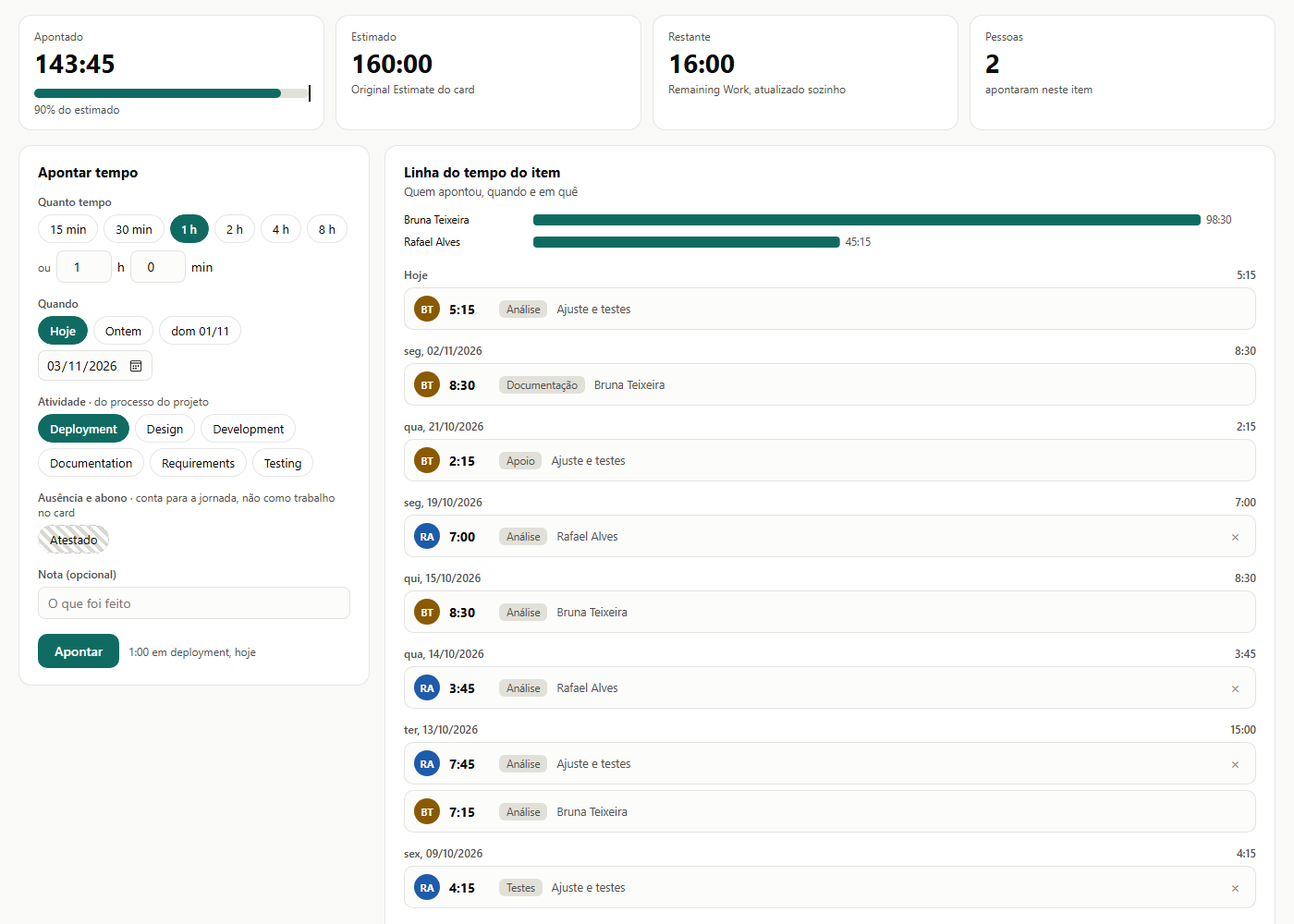
One-click logging (15 min, 30 min, 1 h...) with day, process activity and a note. Completed and Remaining Work update by themselves. Closed items take no time.
Extension for Azure DevOps Services
Your team logs time right on the work item, daily targets come from sprint capacity and managers follow everything on one dashboard. Flat price per organization, no matter how many users, records or projects.
Language, time zone and theme follow Azure DevOps. Nothing to install on computers.
One-click logging (15 min, 30 min, 1 h...) with day, process activity and a note. Completed and Remaining Work update by themselves. Closed items take no time.
Each person's daily target comes from the capacity your team already sets, minus team days off, personal days off and holidays.
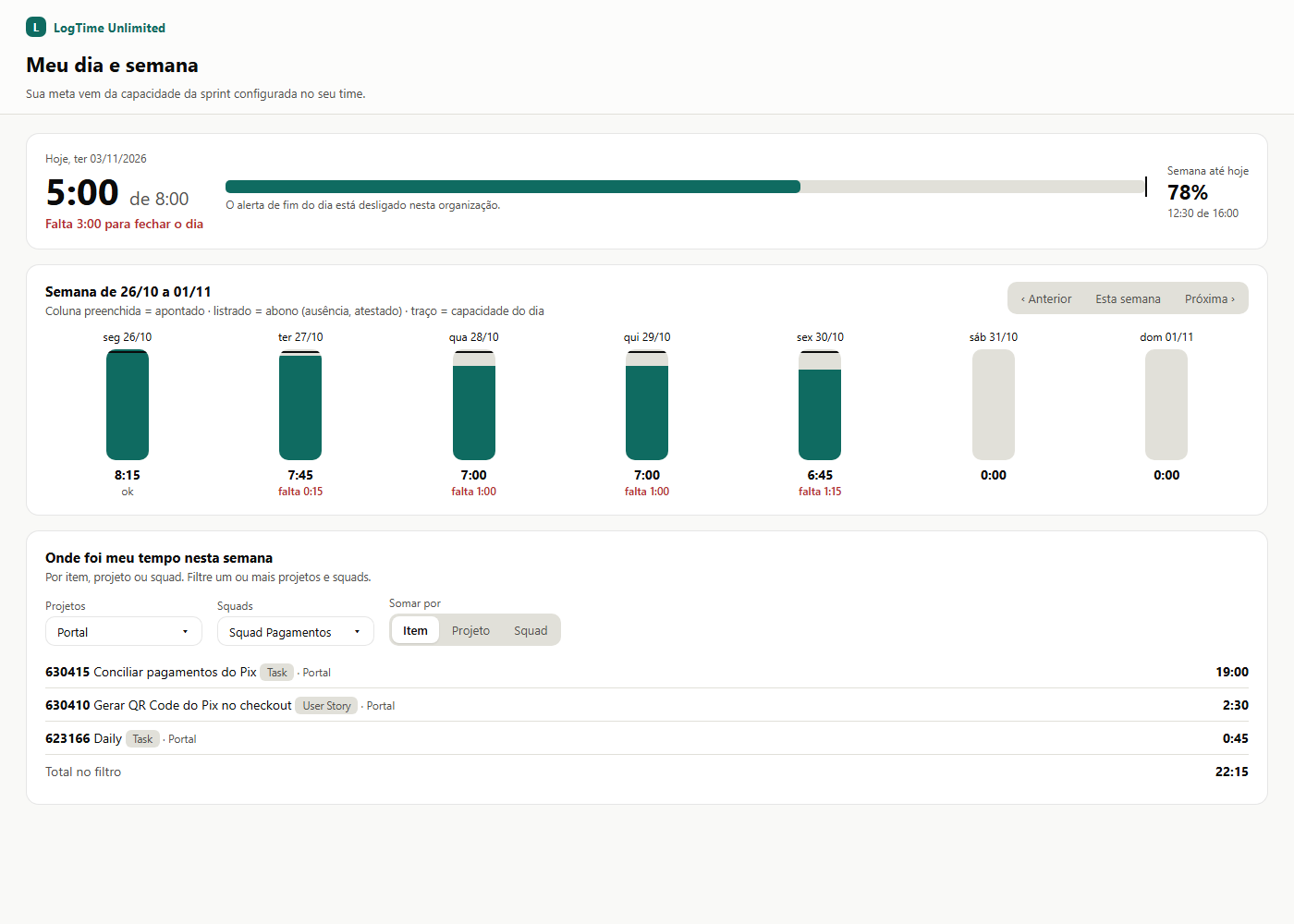
Everyone sees logged time against their target, day by day, and what is left to close the day.
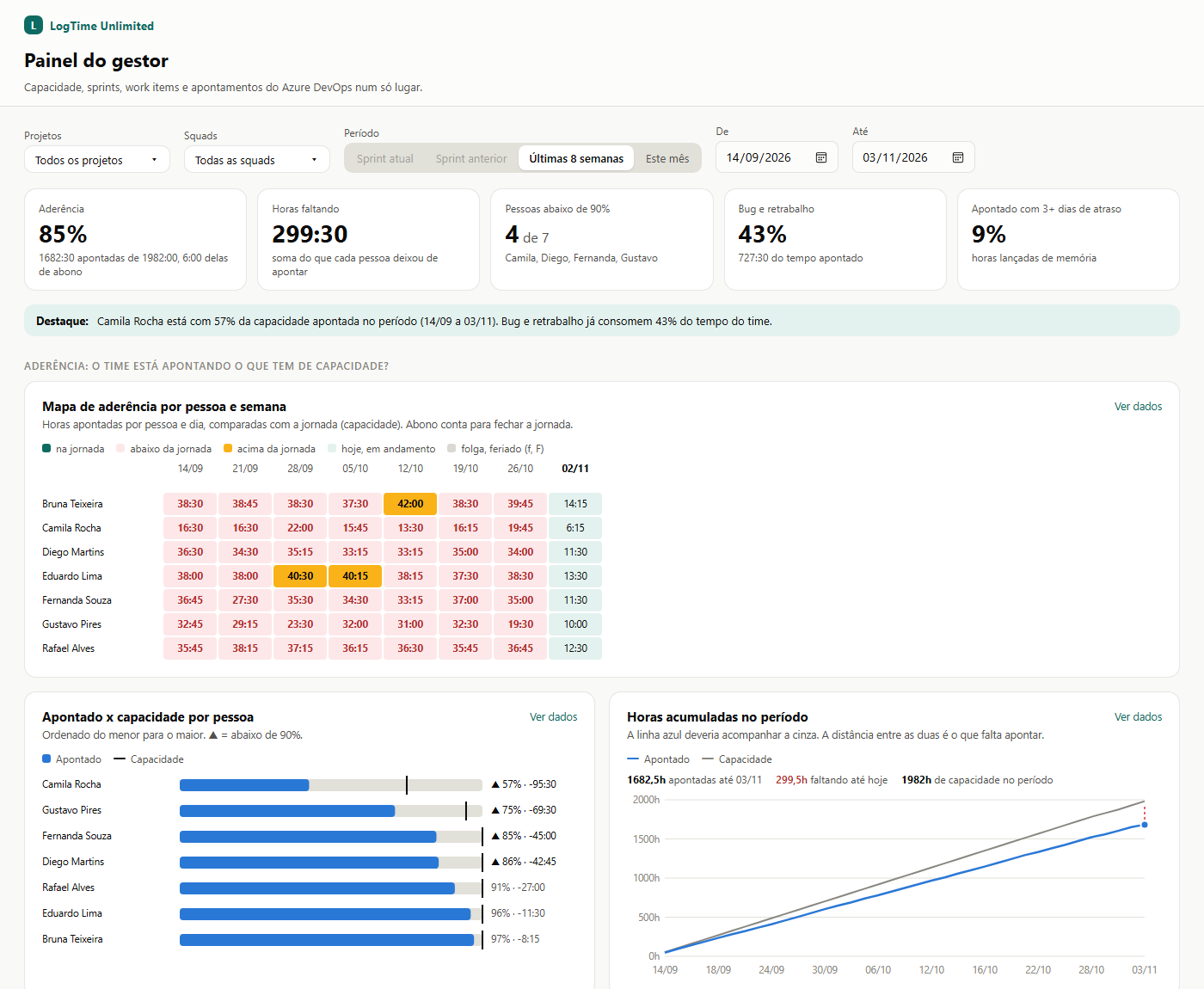
Adherence, a day-by-day heat map, activity mix, estimate vs actual, rework, logging punctuality and trend. Team Administrators see their own squads.
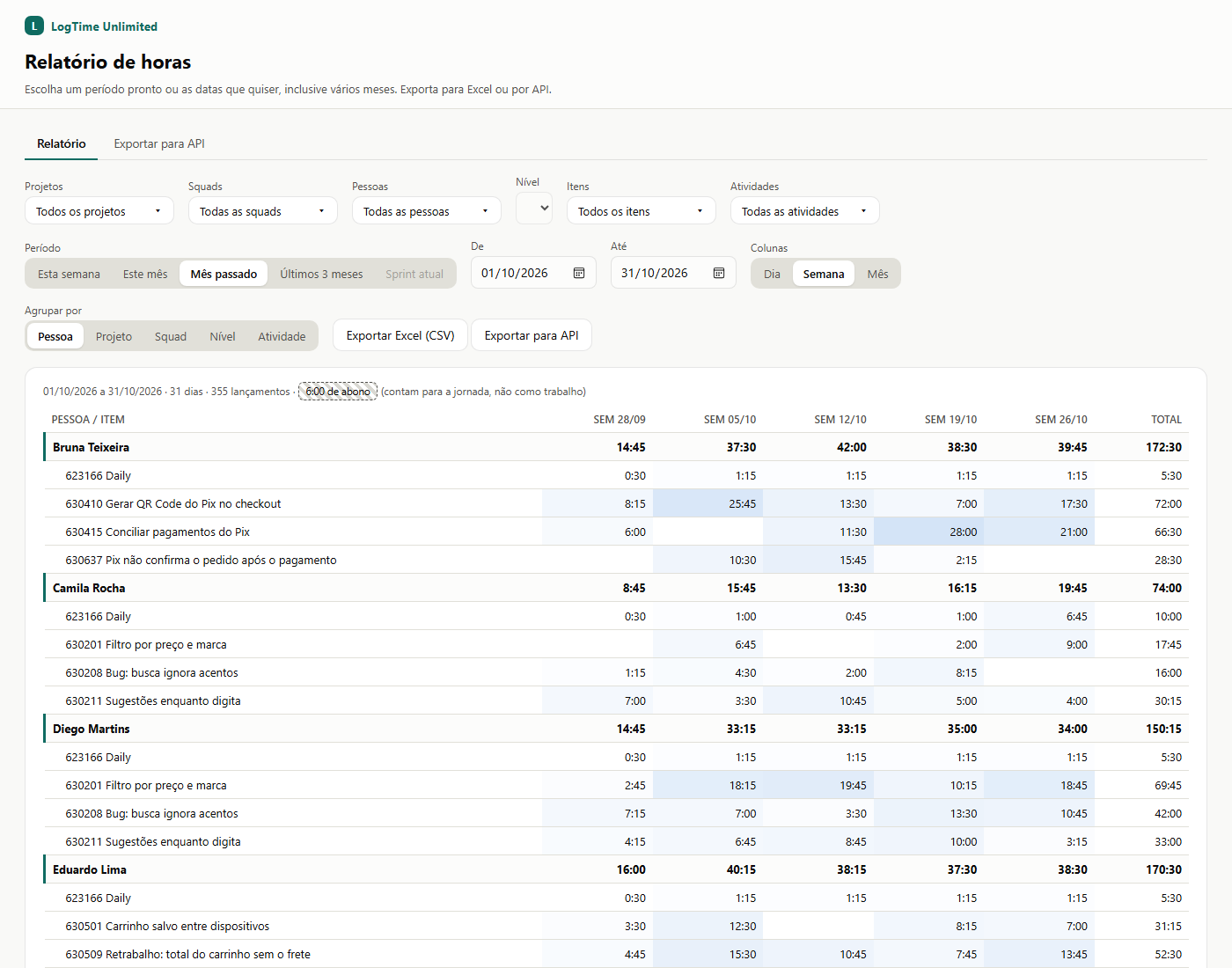
Any period, filters by project, squad, person, backlog item and activity, columns by day, week or month and Excel export.
End-of-day alert and weekly summary for managers (and, if you want, each person), at the time your company chooses.
One key per organization to bring hours into Power BI, an ERP or payroll, with documentation and ready-made samples.
Every create, change and delete is recorded with date, time and author, and not even the application can change it.
Sick notes and days off close the day without counting as work on the item or in productivity charts.
Who is below the expected hours, how much is missing, how much time goes into bugs and rework and who logs from memory, by sprint, month or any period.
Group by person, project, squad, Epic, Feature, User Story or activity. Click an item to open it. Export to Excel in one click.
Everyone knows exactly how much they logged and what is left, with no side spreadsheet.
Send an e-mail with your Azure DevOps organization name (dev.azure.com/<name>).
You get the Marketplace link. An organization administrator installs it in a minute.
Default work hours, holidays, alert time and the manager of each team. Everything else comes from Azure DevOps.
The team logs on the work item; managers follow on the dashboard, the report and the alerts.
One flat price per Azure DevOps organization. It does not matter how many people log time.
Per organization
On request
monthly or yearly, in US dollars (USD)
For now, only on Azure DevOps Services (cloud, dev.azure.com).
No. It is an Azure DevOps extension: install it in the organization and everyone gets it.
From the sprint capacity your team already fills in Azure DevOps, minus days off and holidays. People without capacity use the organization's default work hours.
Your organization chooses: everyone sees everything, or only managers. Organization administrators see everything; Team Administrators see their own squads.
The extension becomes read-only, for viewing and export. Your data is not deleted.
Yes. Your company creates a Workflows flow in its own Teams (step by step inside the extension) and each person gets a private message.
Fill in your Azure DevOps organization name below and tell us a little about your scenario. We reply by e-mail.